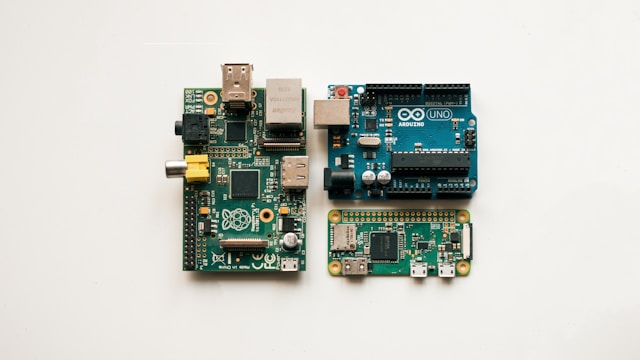


My home server runs on an Orange Pi 5 . It started as a simple DNS sinkhole to block ads, but it’s since turned into a sandbox for anything I’d rather not pay a monthly subscription for.
Development Workflow
The Orange Pi 5 isn’t beefy enough to run LLMs locally, but fortunately it doesn’t have to. First, I mount the Pi’s filesystem to my MacBook using SSHFS , then I start Gemini in the mounted directory.
# Mounting the infrastructure repo
sshfs <user>@<host>:/path/to/infrastructure ~/mnt/orangepi
Since Gemini sees the files directly through the mount, it understands the project structure. I’ve also taught it how to run commands on the Pi via SSH. This creates a fast feedback loop where I can ask for a config change, and the agent can apply and test it on the actual hardware immediately.
Secure Remote Access: Tailscale
I use Tailscale to bridge my devices. The main win here is keeping my DNS sinkhole active on my phone when I’m on mobile data. AdGuard Home filters trackers before they hit my browser, regardless of where I am1.
Security (Zero Trust-ish)
My approach to container security is to assume every container is a liability.
I stick to a few hard rules:
- No
hostnetwork mode. Each stack gets its own bridge network so containers can’t sniff traffic from unrelated services. - Strict CPU and memory limits. A memory leak in a side project shouldn’t take down my DNS or gateway.
- One-way trust. My laptop can SSH into the Pi, but the Pi has no keys to talk to anything else on my network. It’s effectively quarantined.
- Pinning images. I avoid
:latest. I want to know exactly what code is running, and:latestis just asking for a supply chain headache.
The Stacks
The setup is split into Docker Compose stacks. It makes troubleshooting easier, and I don’t have to worry about one big YAML file.
Home Server Architecture
AI Automations
This handles my intelligence pipelines and financial tools. It’s a suite of FastAPI services supported by Jina Reader for scraping and RSSHub for feed ingestion.
- Hacker News Intelligent RSS: Fetches the HN front page and filters for high-signal technical content using LLMs (Gemini/DeepSeek). It scrapes articles using a local Jina instance and produces narrative summaries synced to Cloudflare R2 as Folo-compliant RSS.
- X (Twitter) Intelligence Feed: I don’t like scrolling on X, but some interesting content only lives there. To keep my workflow RSS-centric, I set up a public X list with people and companies I follow. RSSHub fetches the content daily, and DeepSeek summarizes it into a format that works for me.
- Finance Sync: Fetches investment holdings (stocks, crypto, options) via SnapTrade and syncs them directly to Google Sheets for portfolio tracking.
Since Jina Reader is heavy to build on the Pi, I build the image on macOS and load it via docker save | ssh ... docker load.
AdGuard Home & aiostreams
DNS-level blocking is the only way to handle ads on mobile devices. I use
AdGuard Home
for this, plus some internal DNS rewrites so my *.home.arpa domains resolve correctly whether I’m on the local Wi-Fi or the tailnet.
Caddy
Caddy is the entry point. It handles the reverse proxying and internal TLS. It’s much simpler to manage than Nginx for a small setup.
Observability
Prometheus and Grafana keep an eye on the hardware. I use cAdvisor for container metrics and Node Exporter for the Pi itself. Mostly, it’s there so I can see if a new service is eating too much RAM.
Automation & Backups
I use crontab on the host to schedule the intelligence briefings and finance syncs daily. For backups, I use
Restic
to push encrypted snapshots to Cloudflare R2. I know I can rebuild the entire thing from a fresh SD card in ten minutes, which makes it much easier to break things and experiment.
Fun
Recently, Kai Lentit posted a video about setting up a server for OpenClaw. It was hilariously relatable.
My favorite bit:
Agent: We block all unsolicited traffic from the worldwide hostile web app, but we leave one door open. Port 2222. Then we activate the firewall.
User: Why four twos?
Agent: Oh, it’s just an arbitrary number. You could choose any.
User: Six, seven?
Agent: No! The standard for arbitrary numbers is 2222.
Me: 😂😂😂
-
There’s a slight latency hit since DNS requests have to round-trip to my house. I usually only keep this on when I’m traveling or on public Wi-Fi. ↩︎